 Cullia
Delete the duplicates.
Keep the photos.
Cullia finds the photos in your library that are exactly identical — the same image saved more than once — and groups them together.
You review each group photo by photo, mark what to keep, and confirm before anything is deleted. Every scan happens on your iPhone.
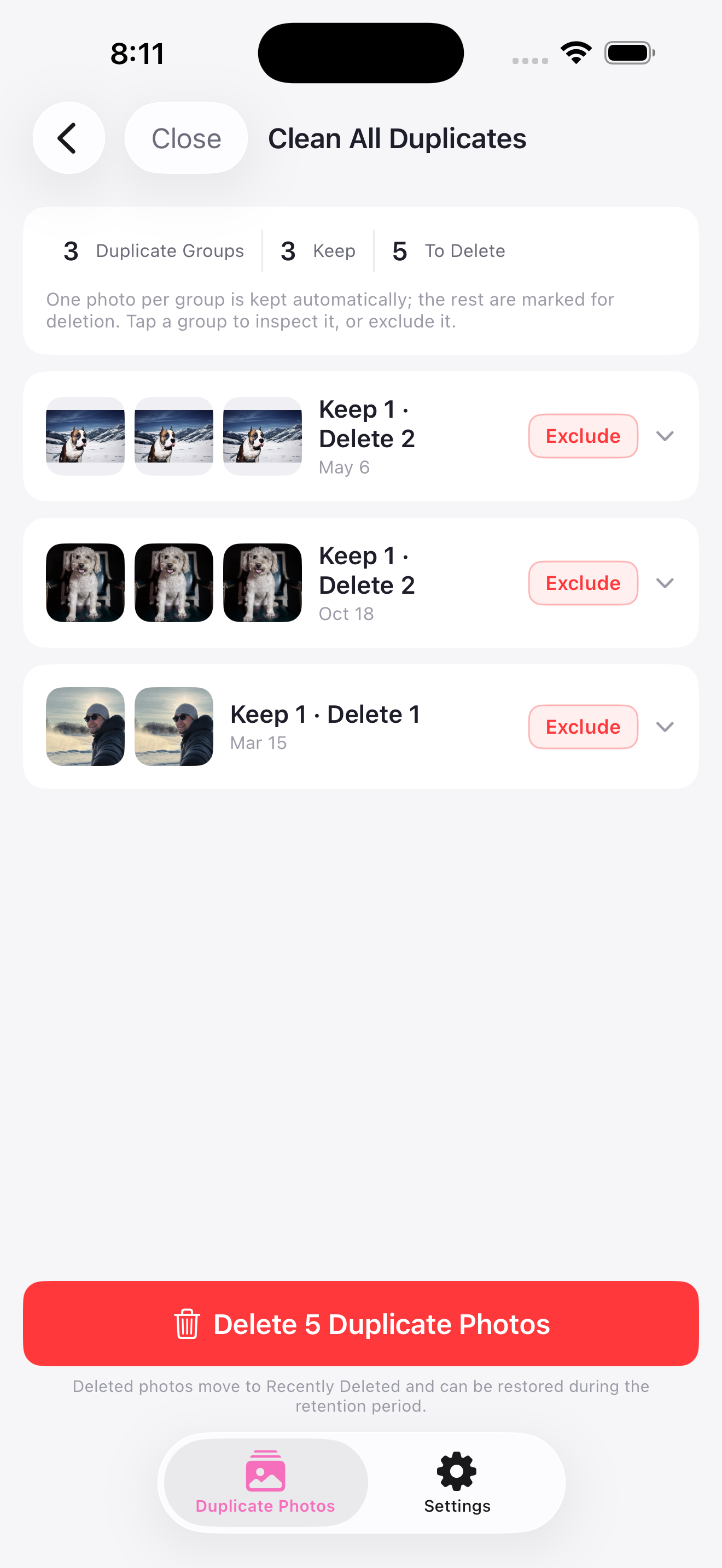
Exact means exact.
Cullia removes only pixel-identical copies.
Similar memories stay untouched — a crop, an edit, a re-shoot is a different photo, and Cullia leaves it alone.

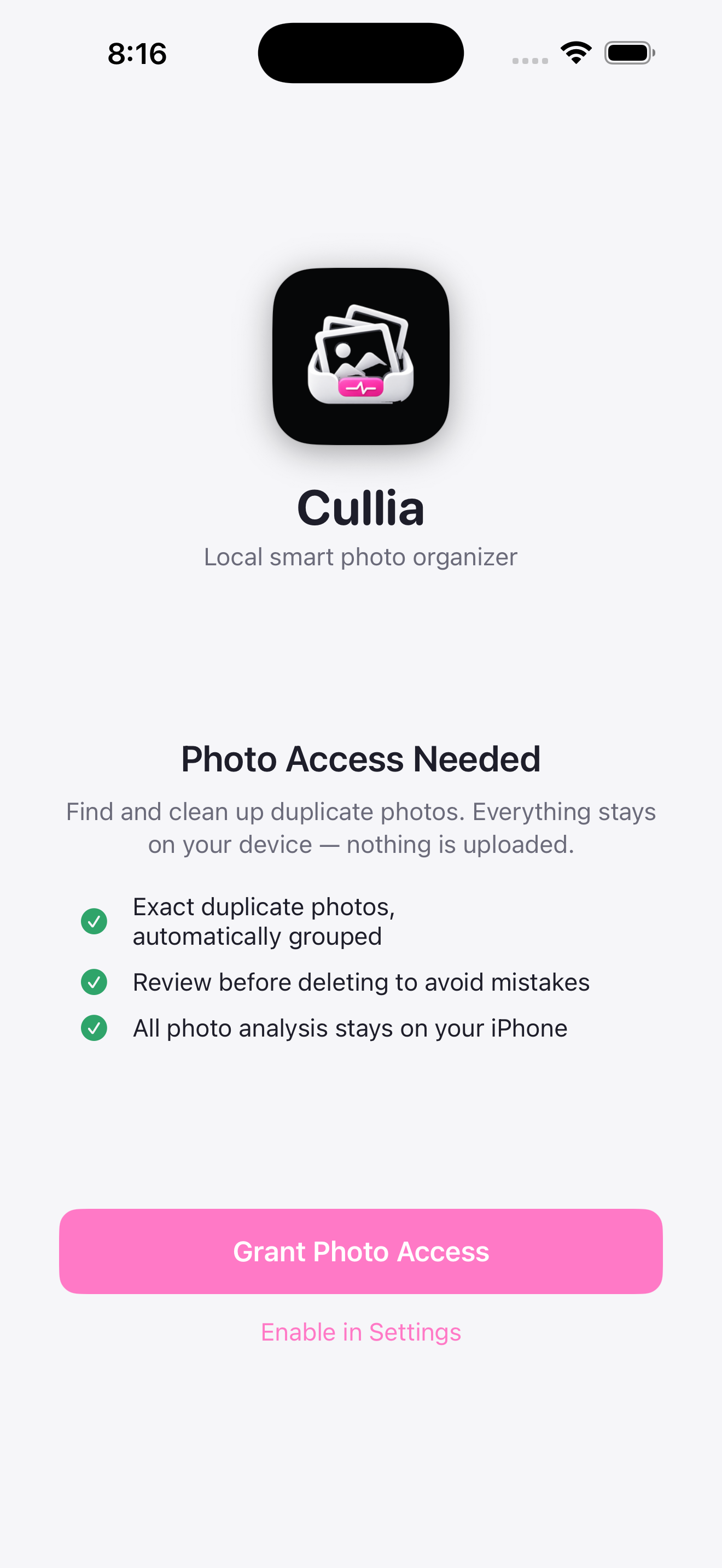
Nothing leaves your iPhone
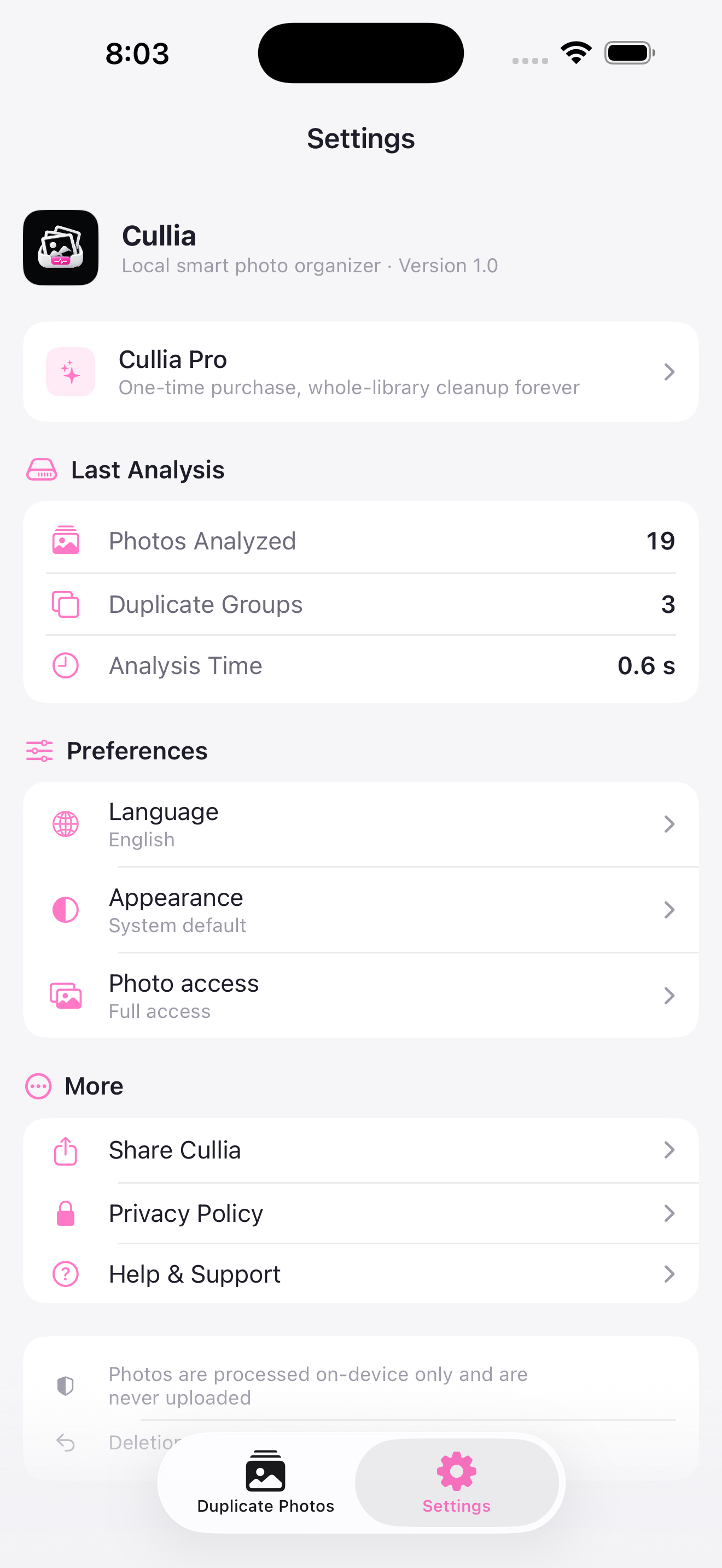
Two screens that say it better than we can: the access request, and the on-device results it produces.
We’re live on Product Hunt
Cullia is on Product Hunt today. Come say hi, ask anything, or take a look at the first release.
HUNT
See it end to end
Real screens from the shipping app — duplicates grouped, results on-device, and nothing leaving your iPhone.
Four steps. No surprises.
-
01
Grant access
Full library, or only the photos you pick.
-
02
Scan on-device
Identical images found locally, in seconds.
-
03
Review every copy
Zoom in, compare, keep one, exclude the rest.
-
04
Confirm, then clean
Deleted photos wait in Recently Deleted.
Review, don’t trust.
Every duplicate group opens at full size. Zoom into the detail, flip between the copies, and decide for yourself which one is the keeper. Cullia suggests — you decide.
Space, honestly measured
Each marked photo shows its real resolution and file size, so you know exactly what you’re getting back.
Batch or whole library
Free handles up to 300 photos per batch. Pro scans the entire library in one pass.
No subscription
One-time purchase. Buy it once and keep it — restore on any device with the same Apple ID.
Your library stays yours
Cullia is built so that it cannot send your photos anywhere. There is no server, no analytics, no tracking, and no advertising SDK inside the app.
Free to clean up. Pro for the whole library.
No subscription, no ads, and no safety features locked behind a paywall.
Free
- ✓Duplicate detection and grouping
- ✓Photo-by-photo review and undo
- ✓Confirm-before-delete, with file sizes
- ✓Up to 300 photos per batch
- —Whole-library scan, unlimited batches
Cullia Pro
- ✓Everything in Free
- ✓Scan your entire photo library
- ✓No per-batch photo limit
- ✓Restore on any device with your Apple ID
- ✓Photos are still processed only on-device
Before you install
What counts as a duplicate in Cullia?
Will Cullia delete anything on its own?
Does it work offline?
What if I only grant access to selected photos?
Is Pro a subscription?
Your library, minus the doubles
Cullia is available on the App Store for iPhone.